
2026 release notes
This section includes the archived release notes published in the year 2026.
SAPIENT release notes - September 22, 2026
An Post customs validation and incoterm updates
The following enhancements have been made to the An Post integration on SAPIENT:
-
An Post Incoterm updates
Shipment validation has been enhanced within SAPIENT to support Delivery Duty Paid (DDP) shipments for the An Post integration. Customers can now enter DDP as the incoterm and successfully create shipments without validation errors.
-
Enhanced customs validation
To support updated An Post shipping requirements, SAPIENT now applies additional customs validation checks for shipments destined to the United States (US) and Puerto Rico (PR), reducing any risks of customs delay, rejections, and processing issues.
NotePlease note that An Post shipments to all other destinations are unaffected, and existing behaviour remains unchanged.
Swagger updates
The following enhancements have been made to the swagger documentattion:
- Evri API. The query and response field descriptions for the following Evri endpoints have been updated to improve clarity and help ensure correct API implementation and usage.
-
-
Shipping Account
- Get Accounts
- Add Account
- Get Account
- Update Account
- Link Locations
- Get Associated Locations
- Get Associated Location
-
Shipments
- Create Shipment
- Print Label
- Print My Label QR Code
-
-
- Royal Mail API. The query and response field descriptions for all the Royal Mail Link Locations API endpoint have been updated to improve clarity and help ensure correct API implementation and usage.
SAPIENT release notes - August 31, 2026
Shipment Webhook and Asynchoronous Shipment
A new asynchronous shipment creation workflow is available through the Create Shipment Async endpoint, enabling shipment requests to be processed in the background and responses to be delivered to a configured Shipment Webhook endpoint.
NoteFor more information, refer to the Create Shipment Async endpoint.
When using this endpoint, Sapient performs initial validation and immediately returns a Request ID. The shipment request is then processed asynchronously. Once processing is complete, the Create Shipment response is pushed to the configured Shipment Webhook endpoint. Successful responses include shipment details, generated labels, and any applicable customs documentation, while failed requests return the relevant error details.
Key capabilities include:
- Available across all supported carriers.
- Support for all shipment actions: Process, Allocate, Create, and default Process behaviour when no action is specified.
- Shipment Webhook configuration through the Sapient user interface.
- Automatic retry handling for failed webhook deliveries, with pending responses retained and resent when the webhook is reactivated.
This functionality helps reduce API response-time dependency, improve scalability during high-volume periods, and provide greater flexibility for customers who wish to separate shipment creation from downstream label generation, documentation generation, and fulfilment processes
Commercial and Proforma invoice date format update
To improve clarity and reduce ambiguity across regions using different date conventions, the date format on Commercial and Proforma Invoices generated via the PrintDocuments API has been updated from DD/MM/YYYY to DD Mmm YYYY (for example, 04 Oct 2026).
This change applies to:
- Invoice Date
- Declaration of Origin
The updated format helps ensure invoice dates are interpreted consistently regardless of local date formatting standards.
Swagger updates
he query and response field descriptions for the following CORE API endpoints have been updated to improve clarity and help ensure correct API implementation and usage:
- Add, Update, Get and Delete Address
- Get PUDO Locations
- Add, Get and Delete Container
- Get Manifests and Get Manifest Details
- Print Manifest
- Get Carrier Locations
- Unlink Locations
- Get Accounts and Get Associated Accounts
- Update Status
- Get Shipments
SAPIENT release notes - August 11, 2026
New integration - DPD Ireland
The DPD Ireland integration has been added to the SAPIENT system. This integration supports shipping domestically within Ireland and Northern Ireland, and to EU, GB, and Rest of World destinations. With this addition, the following information has been added to the swagger documentation:
New API endpoints. A new DPD Ireland block has been added to our carrier-specific APIs. This block includes the following API endpoints:
- Shipping Account
- Get Accounts: Retrieve a list of the DPD Ireland shipping accounts.
- Add Account: Add a new DPD Ireland shipping account.
- Get Account: Retrieve details of a specific DPD Ireland shipping account.
- Update Account: Update details of an existing DPD Ireland shipping account.
- Link Locations: Link shipping locations to a DPD Ireland shipping accounts.
- Get Associated Locations: Retrieve locations linked to the DPD Ireland shipping account.
- Get Associated Location: Retrieve details for a specific DPD Ireland associated location.
- Shipments
- Create Shipment: Create a new DPD Ireland shipment request.
- Print Label: Generate a label for the DPD Ireland shipment.
- DPD Ireland shipping account screen. As part of the new integration, customer users and Carrier Account Administrators can now configure the DPD Ireland shipping account via the SAPIENT UI for creating shipments. The Add Shipping Account screen now includes DPD Ireland as a carrier for selection, with mandatory fields required for configuration.
- Tracking: Enables customers to receive tracking updates through their integration with the SAPIENT tracking webhook.
- Manifest shipment: Enable customers to retrieve information about shipment manifests created by the system and track when shipments have been successfully manifested with DPD Ireland.
NoteFor more information on this integration, refer to the DPD Ireland user guides.
New integration - Starlinks Global
The Starlinks Global integration has been added to the SAPIENT system. This integration supports shipping from Great Britain (GB), Unites States of America (USA), Australia, and United Arab Emirates (UAE), and to Unites States of America (USA), Australia, United Arab Emirates (UAE), and ROW (Rest of the World) destinations. With this addition, the following information has been added to the swagger documentation:
New API endpoints. A new Starlinks Global block has been added to our carrier-specific APIs. This block includes the following API endpoints:
- Shipping Account
- Get Accounts: Retrieve a list of the Starlinks Global shipping accounts.
- Add Account: Add a new Starlinks Global shipping account.
- Get Account: Retrieve details of a specific Starlinks Global shipping account.
- Update Account: Update details of an existing Starlinks Global shipping account.
- Link Locations: Link shipping locations to a Starlinks Global shipping accounts.
- Get Associated Locations: Retrieve locations linked to the Starlinks Global shipping account.
- Get Associated Location: Retrieve details for a specific Starlinks Global associated location.
- Shipments
- Create Shipment: Create a new Starlinks Global shipment request.
- Print Label: Generate a label for the Starlinks Global shipment.
- DPD Ireland shipping account screen. As part of the new integration, customer users and Carrier Account Administrators can now configure the Starlinks Global shipping account via the SAPIENT UI for creating shipments. The Add Shipping Account screen now includes Starlinks Global as a carrier for selection, with mandatory fields required for configuration.
- Tracking: Enables customers to receive tracking updates through their integration with the SAPIENT tracking webhook.
- Manifest shipment: Enable customers to retrieve information about shipment manifests created by the system and track when shipments have been successfully manifested with Starlinks Global.
NoteFor more information on this integration, refer to the Starlinks Global user guides.
SAPIENT Readme Developers Hub updates
Intersoft is pleased to share the latest updates to the SAPIENT Readme Developers Hub. These enhancements focus on improving navigation, usability, and content accessibility, making it easier for users to find the information they need and work more efficiently.
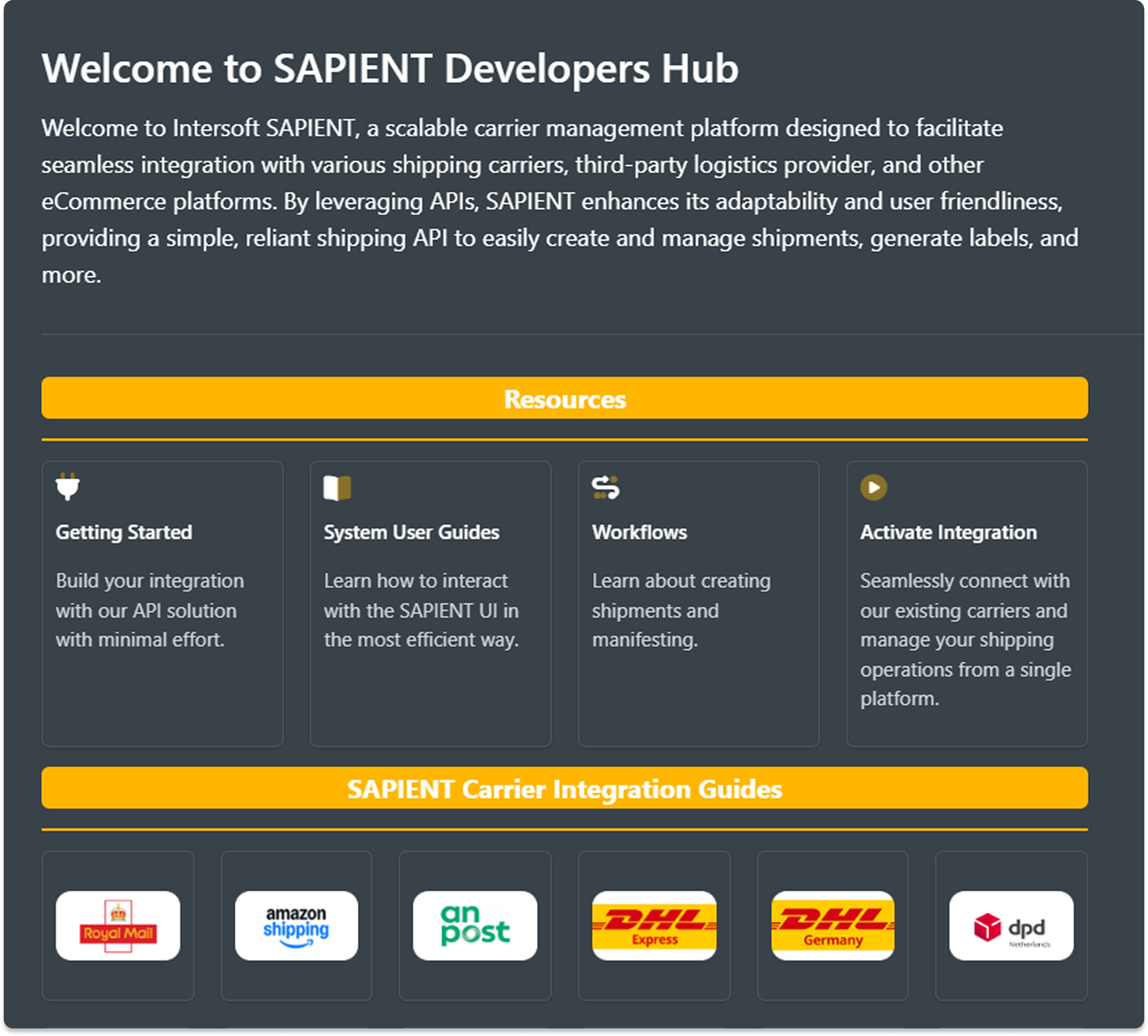
SAPIENT-aligned theme
The Readme Developers Hub theme has been updated to match the SAPIENT user interface, creating a more consistent and familiar experience.
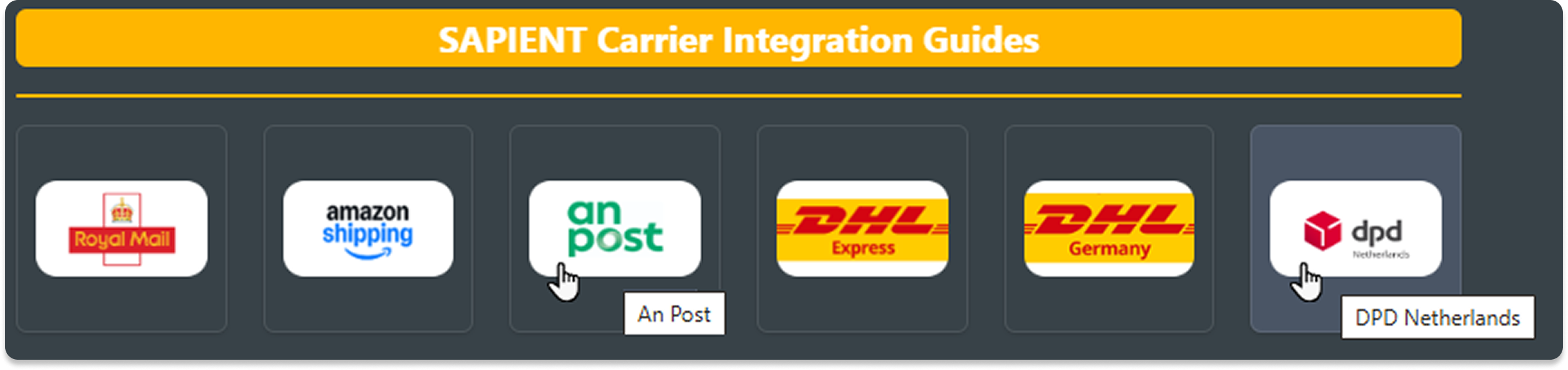
New carrier card tooltips
New tooltips have been configured for the carrier integration cards, making it easier to quickly identify carriers and navigate the documentation.
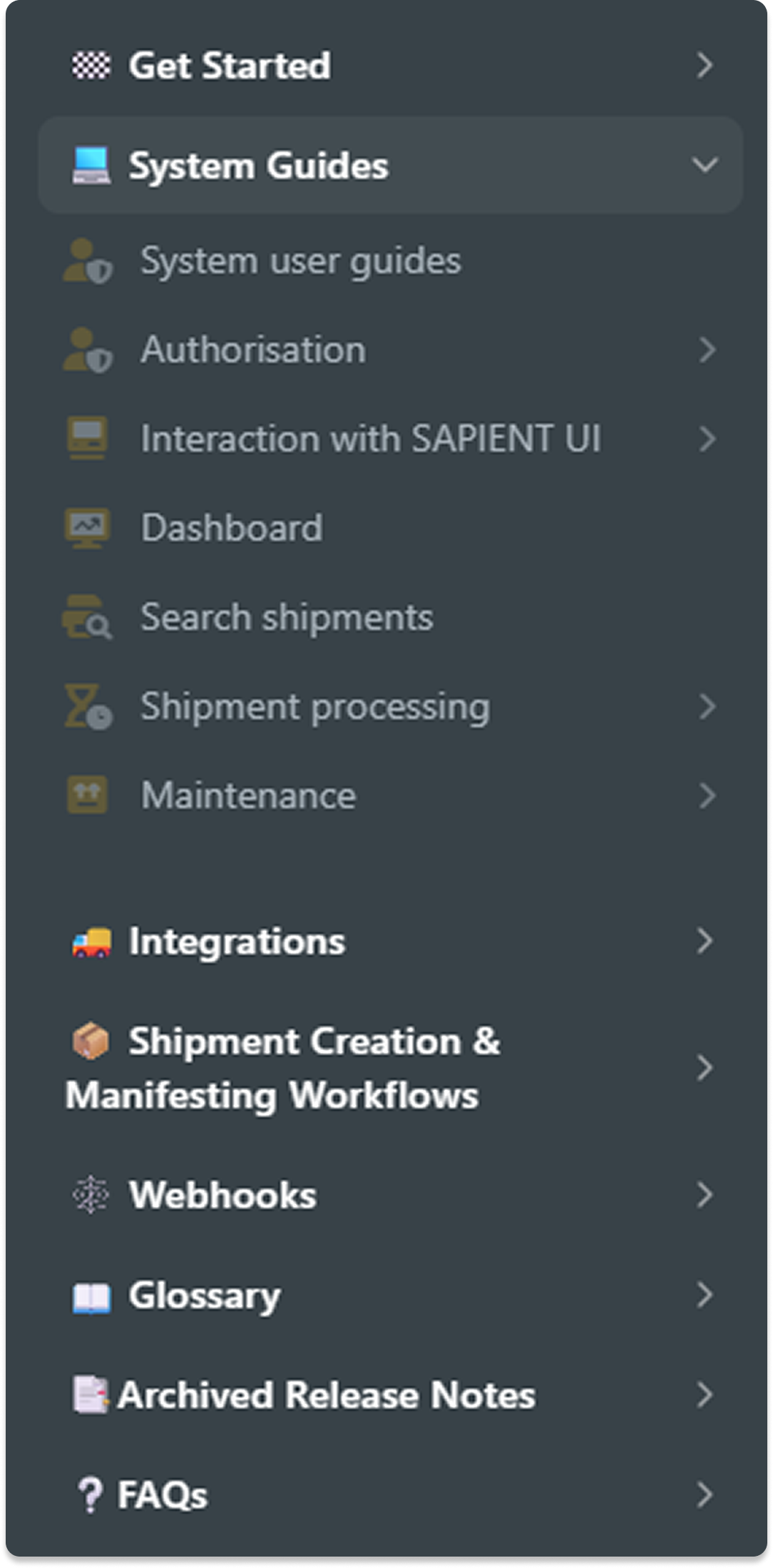
Enhanced navigation experience
The left navigation pane has been reorganised with collapsible parent topics to reduce clutter and improve content discoverability.
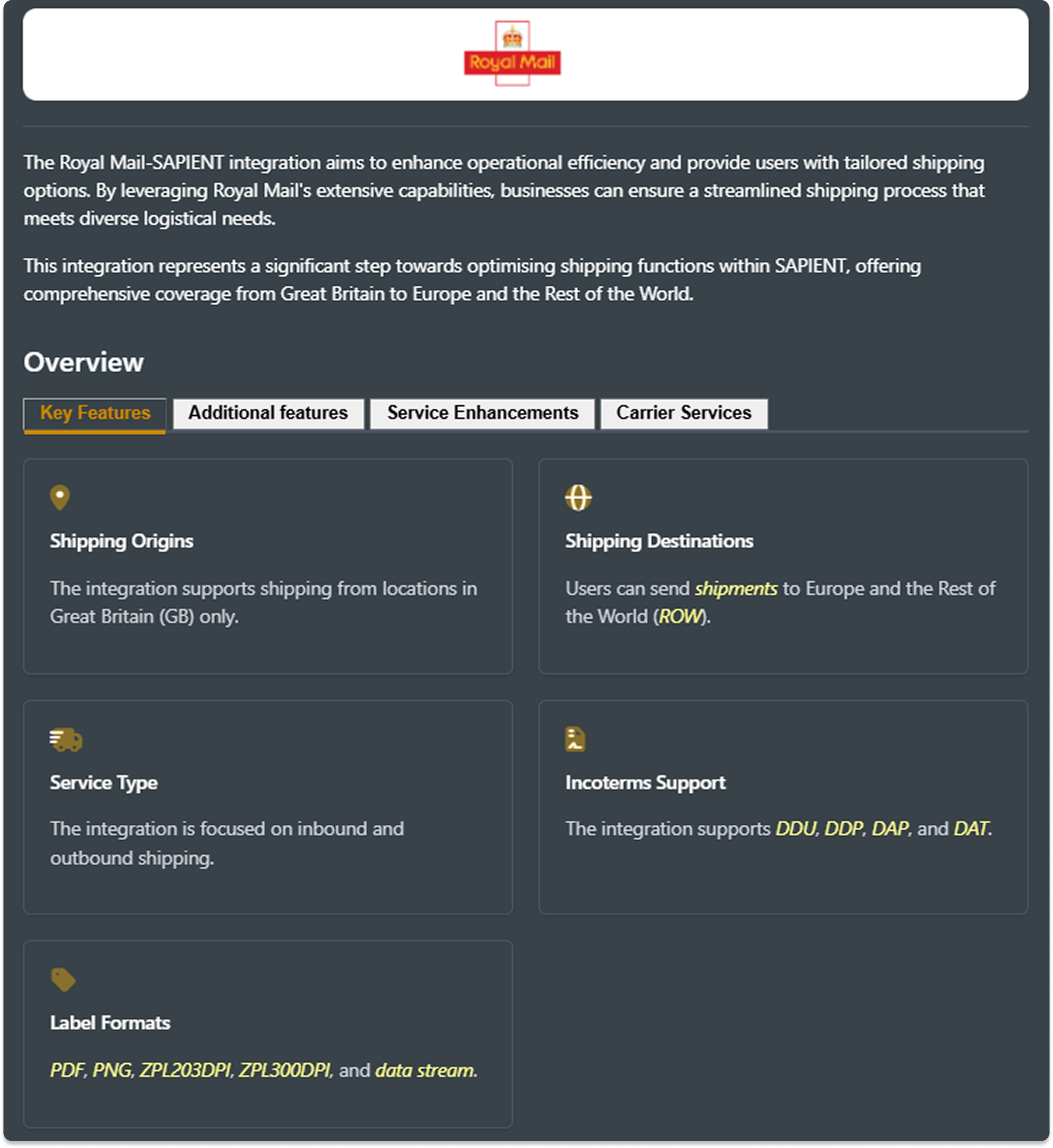
Unified carrier information layout
A new parent carrier topic layout has been introduced with dedicated tabs for:
- Key & Additional Features
- Service Enhancements
- In-Scope Carrier Services
Expandable accordions are also implemented for carrier API services, enabling easier access to detailed information.
Simplified step-by-step guides
Long procedural pages have been streamlined with expandable step sections, allowing users to focus on relevant information and navigate instructions more easily.
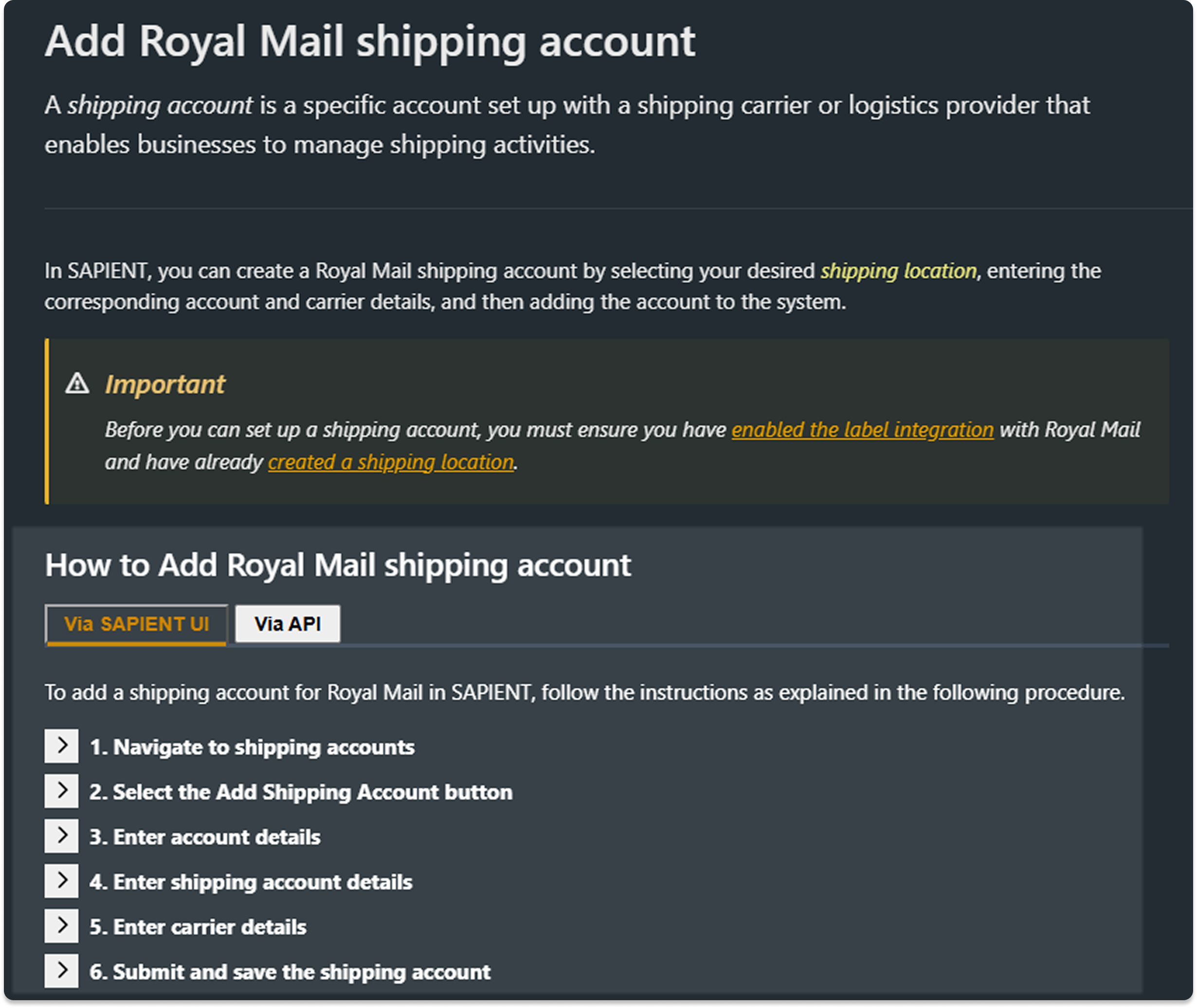
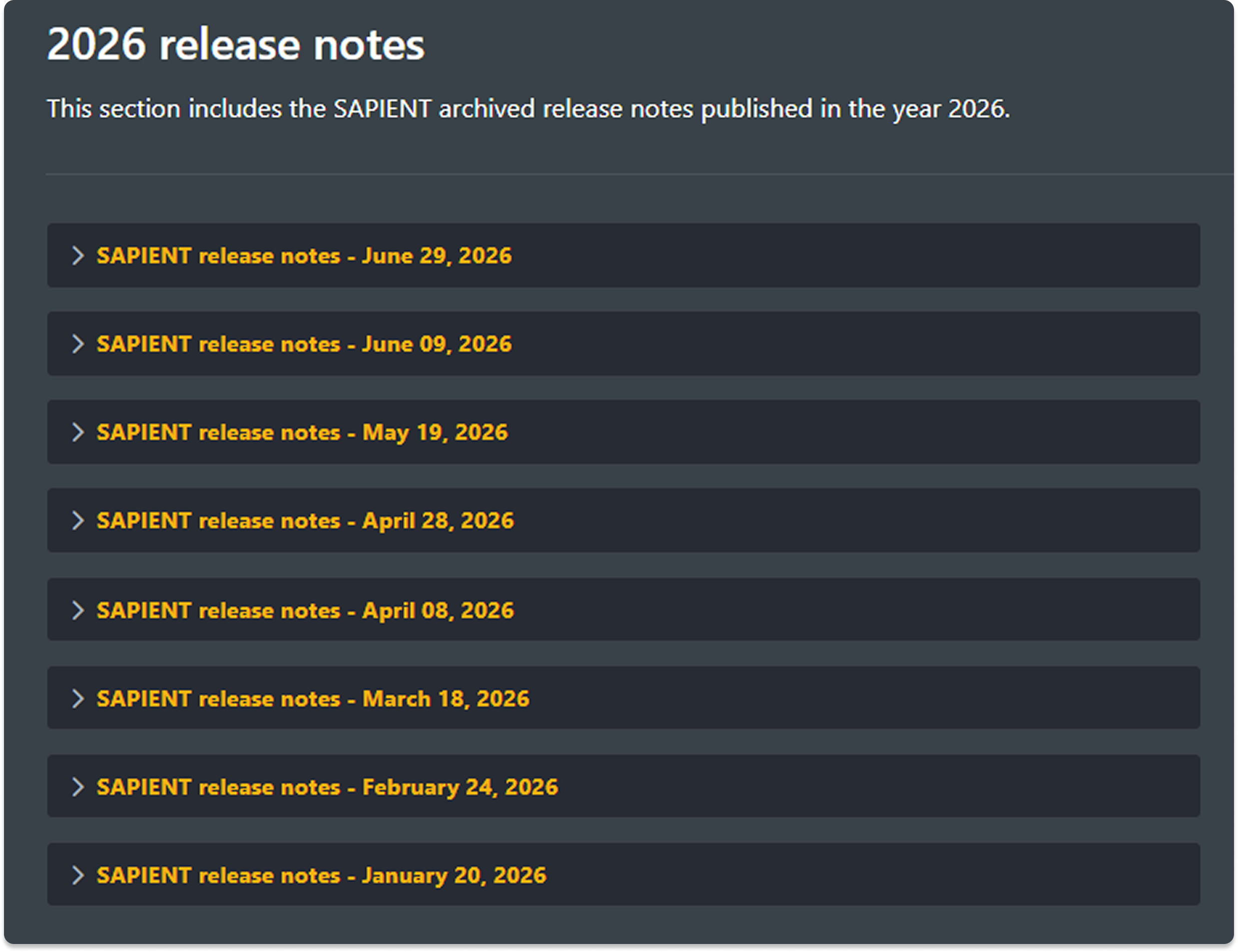
Release notes organisation
The archived release notes are now organised by deployment month and date, making historical updates easier to find and review.
What's next
Our focus remains on making the SAPIENT Developers Hub more intuitive and accessible. Here's what you can look forward to next:
🎥 Video tutorials
We are introducing imbedded guided video tutorials to help users complete common tasks more easily, including:
- Creating Shipping Accounts
- Creating Tracking Accounts
- Managing and configuring carrier integrations
- Customer onboarding
- Other advanced and complex procedures
SAPIENT release notes - July 21, 2026
Swagger documentation updates
The following updates have been made to our Swagger documentation:
Products API endpoints
As part of the new EU customs regulations, the following fields have been added to the SAPIENT Core API > Products endpoints:
-
ManufactureProductId: A unique identifier used to reference the shipped item and support carrier-specific requirements.
-
StandardiseProductId: A globally recognised product identifier used for standardised item identification and to support carrier-specific requirements for customs and risk assessment.
NoteFor more information, refer to the Products API block.
These fields are also added to the SAPIENT's View, Add, and Edit products UI screens. For more information, refer to the Product section.
Collect + rebrand to Royal Mail Shop (RMShop)
Royal Mail has rebranded its Collect+ shops to Royal Mail Shops. As part of this change, all the instances of Collect + in the swagger documentation have been renamed to RMShop.
NoteFor more information, refer to the Get PUDO Locations endpoint.
System maintenance
Routine back-end work, minor UI enhancements, and performance improvements were addressed and deployed.
SAPIENT release notes - June 29, 2026
EU customs changes
As part of the new EU customs regulations, the following fields have been added at the Items level of the Create Shipment endpoint for all carriers:
- ManufactureProductId: A unique identifier used to reference the shipped item and support carrier-specific requirements.
- StandardiseProductId: A globally recognised product identifier used for standardised item identification and to support carrier-specific requirements for customs and risk assessment.
NoteIf applicable, this information may be included in the carrier's pre-advice.
For more information, refer to the API References section.
Royal Mail new optional field
A new optional field, AdditionalHandlingFeesPaid, has been added to the CarrierSpecifics object of the Royal Mail Create Shipment endpoint. This field indicates whether any extra handling charges have already been paid by the shipper, helping improve cost visibility and ensure accurate shipment processing.
NoteIf applicable, this information may be included in the carrier's pre-advice.
For more information, refer to the Royal Mail Create Shipment endpoint.
Royal Mail international label template updates
All Royal Mail international label templates have been updated to consistently display “Postage paid GB”, ensuring consistency with Royal Mail requirements and approved label formats.
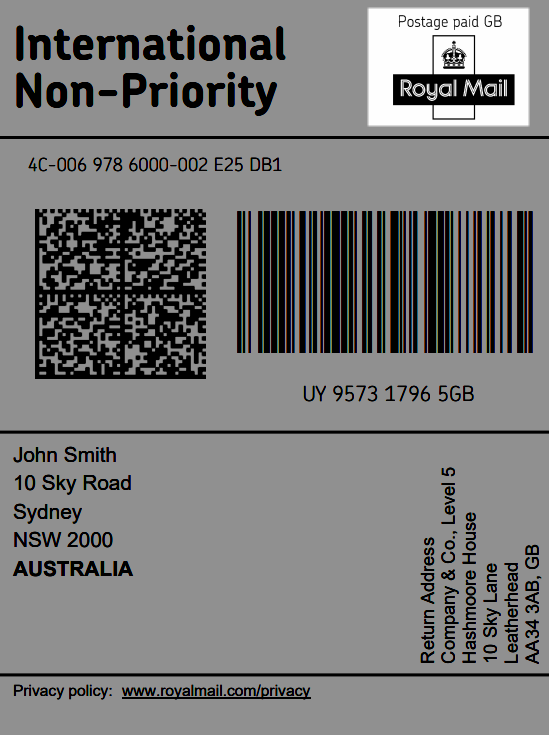
Example of International Royal Mail Label template with updated format
New INTERSOFT tracking events
The SAPIENT's Tracking Webhook has been updated improve collection outcomes by introducing the new following new INTERSOFT tracking event codes.
| Tracking Event Code | Tracking Event Name |
|---|---|
| CAMD | Collection booking was updated or amended after initial scheduling. |
| CSBK | Collection has been successfully booked and confirmed. |
| PSCS | Shipment has been collected and left in a designated safe place. |
| CAAT | Collection was attempted but not completed. |
| CAFI | Collection attempt failed because the location was inaccessible. |
| CAFP | Collection attempt failed due to a packaging issue. |
| CAFN | Collection attempt failed because the shipment was not available. |
| CAFA | Collection attempt failed as there was no response at the location. |
| CAFO | Collection attempt failed due to oversize or overweight shipment. |
| CSPP | Collection from safe place failed due to a packaging issue. |
| CSPI | Collection from safe place failed because access was not possible. |
| CSPN | Collection from safe place failed as the shipment was not available. |
| CSPO | Collection from safe place failed due to oversize or overweight shipment. |
| CCAN | Collection request has been cancelled. |
| CNAT | Collection was not attempted. |
These new tracking event codes provides customers with clear, actionable tracking updates for failed collections, enabling faster issue resolution and improved operational decision-making.
NoteFor detailed information on all tracking events and milestones, refer to the following sections:
SAPIENT release notes - June 09, 2026
New integration - DHL Express
The DHL Express integration has been added to the SAPIENT system. This integration supports shipping domestically within UK, to EU and Rest of World destinations. With this addition, the following information has been added to the swagger documentation:
New API endpoints. A new DHL EXPRESS block has been added to our carrier-specific APIs. This block includes the following API endpoints:
- Shipping Account
- Get Accounts: Retrieve a list of the DHL Express shipping accounts.
- Add Account: Add a new DHL Express shipping account.
- Get Account: Retrieve details of a specific DHL Express shipping account.
- Update Account: Update details of an existing DHL Express shipping account.
- Link Locations: Link shipping locations to a DHL Express shipping accounts.
- Get Associated Locations: Retrieve locations linked to the DHL Express shipping account.
- Get Associated Location: Retrieve details for a specific DHL Express associated location.
- Shipments
- Create Shipment: Create a new DHL Express shipment request.
- Print Label: Generate a label for the DHL Express shipment.
- DHL Express shipping account screen. As part of the new integration, customer users and Carrier Account Administrators can now configure the DHL Express shipping account via the SAPIENT UI for creating shipments. The Add Shipping Account screen now includes DHL Express as a carrier for selection, with mandatory fields required for configuration, along with options to configure Archive Labels and Paperless Trade (PLT).
- Tracking: Enables customers to receive tracking updates through their integration with the SAPIENT tracking webhook.
- Manifest shipment: Enable customers to retrieve information about shipment manifests created by the system and track when shipments have been successfully manifested with DHL Express.
NoteFor more information on this integration, refer to the DHL Express section.
Handling Pre-registration number
For Royal Mail international shipments, pre-registration values (such as IOSS or PRS) sourced from Customs Settings are now applied only when supported by the selected service and destination. If the selected route does not support the preregistration type, the value is no longer applied and the shipment is processed without validation errors.
This update prevents valid shipments from being rejected due to unsupported preregistration data and ensures successful shipment creation where applicable.
SAPIENT release notes - May 19, 2026
Royal Mail - Parcelforce dimension validation update
The dimension validation for Royal Mail - Parcelforce International non‑Consumer shipments has been removed. The system will now allow shipments where parcel dimensions exceed stored format limits, ensuring valid shipments are not rejected due to restricted validation.
Tracking Webhook retry logic updates
INTERSOFT Tracking Webhook delivery continues to follow the existing retry policy. Previously, certain errors caused the webhook to be suspended immediately, resulting in failed delivery attempts. This behaviour has been updated so that all delivery errors now enter the retry process rather than triggering immediate suspension. Once the retry limit is exhausted and the webhook becomes suspended, it remains suspended and no further delivery attempts or retries are performed.
Royal Mail swagger documentation updates
Miscellaneous enhancements
The following enhancements have been made to the SAPIENT ROYAL MAIL API endpoints.
- Create Shipment: The following two new categories have been added to the Customs > ReasonForExport field in addition to the existing categories:
- ECommerce Sale of Goods - for B2C or D2C shipments, such as goods sold directly to consumers via online retail.
- Commercial Sale of Goods - for B2B shipments, covering business to business commercial sales.
This is done so that the shipments are correctly classified as e-commerce or commercial sales, ensuring compliance with Royal Mail's latest specification.
NotePlease keep in mind the following:
- If the existingSale of Goods value is selected as the reason for export, the system automatically determines whether the shipment is Ecommerce (B2C or D2C) or Commercial (B2B) based on the value provided in the BusinessTransactionType field in the create shipment request.
- If any of the new reason for export values are requested in thePrint Document API, they will be displayed in the generated CN23 document.
- This enhancement will be live starting 1st June 2026.
For more information, refer to theCreate Shipment and Print Document API endpoints.
- Get Carrier Services. A new Services > Get Carrier Services endpoint has been added to the SAPIENT ROYAL MAIL API block, allowing users to retrieve the service levels associated with each requested service code.
[
  {
    "ServiceCode": "CRL1",
    "Description": "Royal Mail 24 Standard/Signed For (Parcel - Daily Rate Service)",
    "CarrierSpecifics": {
      "ServiceLevels": [
        "01",
        "02"
      ]
    }
  }
]
Response payload example
Field description updates
The query and response field descriptions for the following SAPIENT ROYAL MAIL API endpoints have been updated to improve clarity and support correct usage of the API:
- Shipping Accounts
- Get Accounts
- Add Account
- Get Account
- Update Account
- Link Locations
- Get Associated Locations
- Get Associate Location
- Update Associated Location
- Shipments
- Create Shipment
- Print Label
- Print My Label QR Code
- Pre Allocate Tracking Number
- Collections
- Book Collection
- Cancel Collection
- Get Collection Timeslots
- Offline Barcode Range
- Get Barcode Range
- International Arrivals Containers
- Add Container
- Get Containers
- Update Containers
- Add/Remove Shipments
- Delete Containers
- Get Containers
DX Freight swagger documentation updates
The query and response field descriptions for the following SAPIENT DX FREIGHT API endpoints have been updated to improve clarity and support correct usage of the API:
- Shipments
- Create Shipment
- Print Label
- Shipping Accounts
- Get Accounts
- Add Account
- Get Account
- Update Account
- Link Locations
- Get Associated Locations
- Get Associate Location
DPD UK swagger documentation updates
A new CarrierDetails > Barcode field has been added at the Packages level in the Create Shipment endpoint response, allowing users to scan and track shipments and match them against the stored barcode information.
"LabelFormat": "PDF",
    "Packages": [
        {
            "CarrierDetails": {
                "Barcode": "%BT370QB15501999000067812826"
            },
            "PackageOccurrence": 1,
            "TrackingNumber": "15501999000067",
            "CarrierTrackingUrl": "https://track.dpd.co.uk/search?reference=15501999000067"
        }
    ]
Response payload example
SAPIENT CORE API swagger documention updates
A new CarrierSpecifics object has been added to the Get Carrier Services endpoint response to include a ServiceLevels field, allowing users to retrieve the service levels associated with each requested service code (if available).
SAPIENT release notes - April 28, 2026
New integration - DHL Germany
The DHL Germany (DE) integration has been added to the SAPIENT system. This integration supports shipping domestically within Germany, and to EU, GB, and Rest of World destinations. With this addition, the following information has been added to the swagger documentation:
New API endpoints. A new DHL GERMANY block has been added to our carrier-specific APIs. This block includes the following API endpoints:
- Shipping Account
- Get Accounts: Retrieve a list of the DHL Germany shipping accounts.
- Add Account: Add a new DHL Germany shipping account.
- Get Account: Retrieve details of a specific DHL Germany shipping account.
- Update Account: Update details of an existing DHL Germany shipping account.
- Link Locations: Link shipping locations to a DHL Germany shipping accounts.
- Get Associated Locations: Retrieve locations linked to the DHL Germany shipping account.
- Get Associated Location: Retrieve details for a specific DHL Germany associated location.
- Shipments
- Create Shipment: Create a new DHL Germany shipment request.
- Print Label: Generate a label for the DHL Germany shipment.
- DHL Germany shipping account screen. As part of the new integration, customer users and Carrier Account Administrators can now configure the DHL Germany shipping account via the SAPIENT UI for creating shipments. The Add Shipping Account screen now includes DHL Germany as a carrier for selection, with mandatory fields required for configuration.
- Tracking: Enables customers to receive tracking updates through their integration with the SAPIENT tracking webhook.
- Manifest shipment: Enable customers to retrieve information about shipment manifests created by the system and track when shipments have been successfully manifested with DHL Germany.
NoteFor more information on this integration, refer to theDHL Germany user guides.
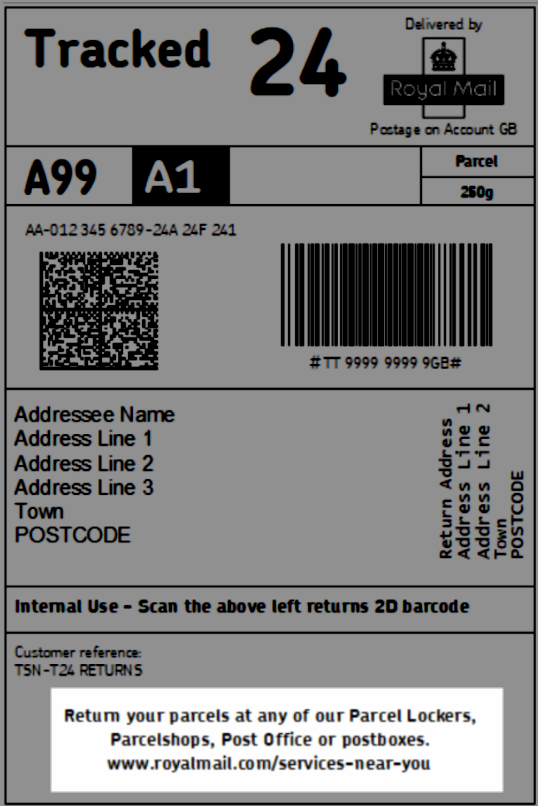
Domestic Royal Mail Tracked Returns label updates
The footer text on the following domestic Royal Mail Tracked Returns label templates has been updated to provide clear guidance on where to drop off the return parcels.
| Product Code | Product Name |
|---|---|
| ITA | Import Tracked Returns 24 |
| TSN | Tracked Returns 24 |
| ITB | Import Tracked Returns 48 |
| TSS | Tracked Returns 48 |
System maintenance
Routine back-end work, minor UI enhancements, and technical improvements were addressed and deployed.
SAPIENT release notes - April 08, 2026
Multi-Factor Authentication (MFA) for SAPIENT
Multi‑Factor Authentication (MFA) has been added to the SAPIENT user interface to enhance account security. When enabled at customer account level, all users are required to complete a two‑step verification during login. After entering their username and password, a one‑time verification code is sent to the user’s registered SAPIENT email address, which must be entered to access the platform. Additionally, users can choose to snooze the MFA prompt for up to 14 days.
NotePlease note that the MFA feature will not be enforced upon deployment. By default, it will be disabled for all customer accounts unless it is activated by a Customer Administrator with theUser Administrator permission.
For more information on the MFA process, refer to the following guides:
Handle invalid tracking numbers
The SAPIENT's Trackings API has been enhanced to improve visibility and handling of invalid tracking numbers submitted in batch requests.
The API now accepts and processes all tracking numbers supplied in a single request (up to 1,000), without failing the entire batch when invalid entries are present. Valid tracking numbers are registered as normal, while invalid tracking numbers are identified and excluded from registration with Royal Mail.
Invalid tracking numbers are automatically marked as "DO NOT TRACK," and a corresponding tracking event is generated and sent to the customer via the Intersoft tracking webhook. This event provides clear feedback without impacting the processing of valid tracking numbers.
NoteFor more information, refer to theHandle invalid tracking numbers guide.
Tracking Webhook setup - UI enhancements
A new mandatory Notification Email field has been added to the Tracking Webhook setup screen in SAPIENT. This email address will be used to receive webhook suspension notifications and replaces the previous behaviour where notifications were sent to the primary user email on the customer account.
NoteCustomers who already have a tracking webhook configured on SAPIENT, the new email field will be pre‑populated with the primary user email. Customers can review and update the email at any time.
New integration - DPD Netherlands (NL)
The DPD Netherlands (NL) integration has been added to the SAPIENT system. This integration supports shipping domestically within the Netherlands, and to EU, GB, and Rest of World destinations. With this addition, the following information has been added to the swagger documentation:
New API endpoints. A new DPD NETHERLANDS block has been added to our carrier-specific APIs. This block includes the following API endpoints:
- Shipping Account
- Get Accounts: Retrieve a list of the DPD Netherlands shipping accounts.
- Add Account: Add a new DPD Netherlands shipping account.
- Get Account: Retrieve details of a specific DPD Netherlands shipping account.
- Update Account: Update details of an existing DPD Netherlands shipping account.
- Link Locations: Link shipping locations to a DPD Netherlands shipping accounts.
- Get Associated Locations: Retrieve locations linked to the DPD Netherlands shipping account.
- Get Associated Location: Retrieve details for a specific DPD Netherlands associated location.
- Shipments
- Create Shipment: Create a new DPD Netherlands shipment request.
- Print Label: Generate a label for the DPD Netherlands shipment.
- DPD Netherlands shipping account screen. As part of the new integration, customer users and Carrier Account Administrators can now configure the DPD Netherlands shipping account via the SAPIENT UI for creating shipments. The Add Shipping Account screen now includes DPD Netherlands as a carrier for selection, with mandatory fields required for configuration.
Swagger updates
The query and response field descriptions for our following CORE API endpoints have been updated to improve clarity and support correct usage of the API:
- Get Products
- Add Product
- Delete Product
- Get Product
- Update Product
SAPIENT release notes - March 18, 2026
Download API spec from Developers Hub
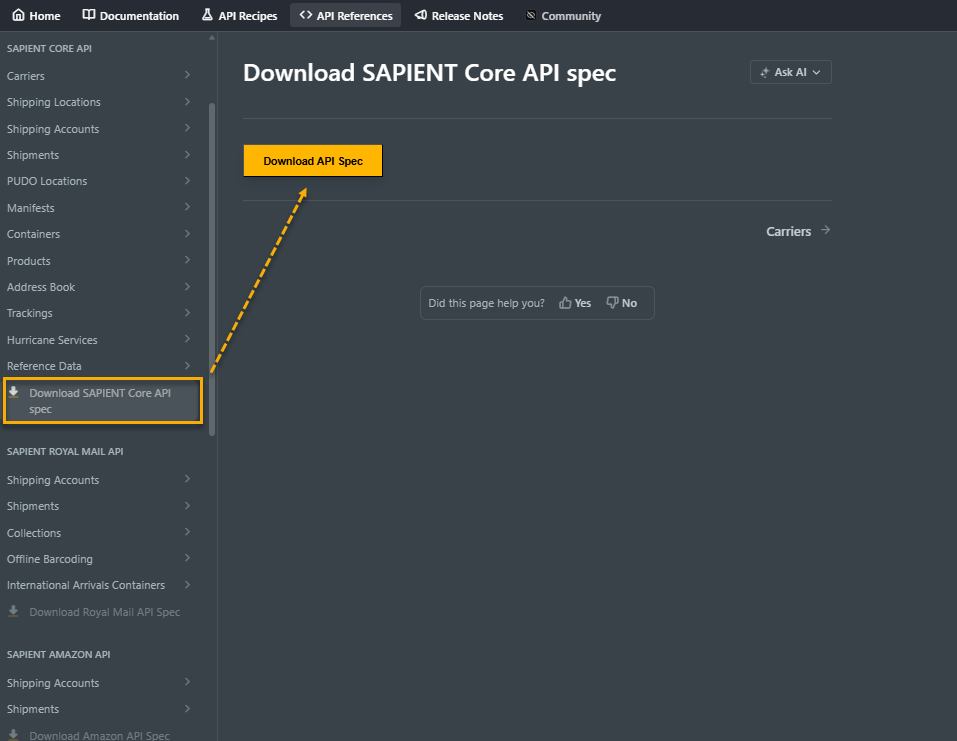
A new Download API Spec feature has been added to the SAPIENT Developers Hub. Each block in the left navigation pane of the API References tab now includes a dedicated page with a Download API Spec button.
With this feature added, users can now easily download the API specification for each set of carrier and SAPIENT CORE endpoints directly to their local computer, improving accessibility and offline reference.
System maintenence
Routine back-end work and minor UI improvements were addressed and deployed.
SAPIENT release notes - February 24, 2026
Royal Mail Windsor Framework updates
The following changes have been made for Royal Mail shipments sent from Great Britain to Northern Ireland (addresses with a GB country code and postcode beginning BT):
- The shipment declaredValue must equal the sum of the item values within the shipment. The declaredValue cannot be less than or greater than the sum of the item values.
- For B2B shipments where a pre-registration number with pre-registration type UKIMS is provided, previous logic that treated Item HS Code as optional has now been removed. Royal Mail’s standard reference data will now be used to determine whether Item HS Code is mandatory or optional. B2B shipments are validated against Ruleset K, which is documented in the Royal Mail Validation Rules guide.
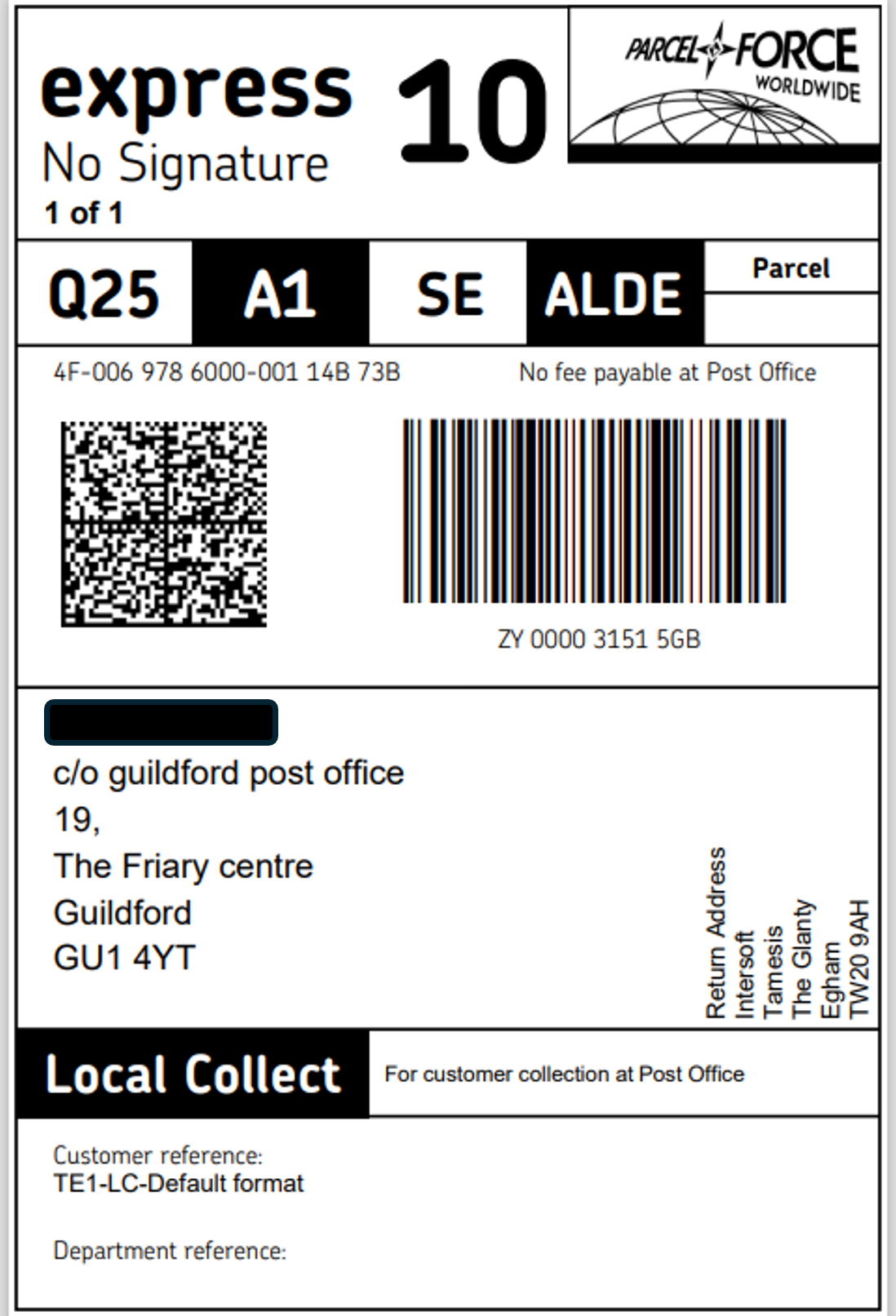
Royal Mail Express 10 Service - Local Collect label templates added
Local Collect label templates have been added for the Express 10 service, so that labels for this service can now be generated containing the Local Collect text label.
The following variations of the Express 10 label have been added:
• Express 10 service with Local Collect
• Express 10 service with Local Collect and ‘Do Not Fly’ statement (for LQDG)
• Express 10 service with Local Collect and signature
• Express 10 service with Local Collect, signature and ‘Do Not Fly’ statement
See an example label below:
Royal Mail Collections API updates
The following updates have been made to the Royal Mail Book Collection API:
- New field added CollectionSafePlace – allows a designated safe place to be provided for the collection address that Royal Mail can securely collect the parcel from.
- New field added OptOutFromRmNotifications – provides the option to choose whether or not collection notifications are sent to the consignee by Royal Mail.
NoteFor more details on these changes, refer to the Royal Mail heBook Collections API endpoint
Hazardous Item updates
The validation rules applied to hazardous items have been updated. The fields UNCode, Quantity and UnitofMeasure have changed from mandatory to conditional. These fields do not need to be provided for hazardous items, but if any of these fields is provided then all three must be. This change applies to the Royal Mail Create Shipment Request, Add Product and Update Product API requests, Get Product and Get Products API responses, and the Products UI.
NoteFor more details on the API updates, refer to the theAPI References page.
New integration - Amazon
The Amazon integration has been added to the SAPIENT system. This integration supports shipping via Amazon domestically within the UK for both orders created via Amazon and outside of Amazon.
With this addition, the following information has been added to the swagger documentation:
New API endpoints. A new AMAZON block has been added to our carrier-specific APIs. This block includes the following API endpoints:
- Shipping Account
- Get Accounts: Retrieve a list of the Amazon shipping accounts.
- Add Account: Add a new Amazon shipping account.
- Get Account: Retrieve details of a specific Amazon shipping account.
- Update Account: Update details of an existing Amazon shipping account.
- Link Locations: Link shipping locations to an Amazon shipping account.
- Get Associated Locations: Retrieve locations linked to the Amazon shipping account.
- Get Associated Location: Retrieve details for a specific Amazon associated location.
- Shipments
- Create Shipment: Create a new Amazon shipment request.
- Print Label: Generate a label for the Amazon shipment.
- Amazon shipping account screen. As part of the new integration, customer users and Carrier Account Administrators can now configure the Amazon shipping account via the SAPIENT UI for creating shipments. The Add Shipping Account screen will now include Amazon as a carrier for selection, with mandatory fields required for configuration.
NoteFor more information on how to set up an Amazon shipping account, refer to theAdd Amazon Shipping Account user guide.
New integration - FedEx International Connect
The FedEx International Connect integration has been added to the SAPIENT system. This integration supports shipping domestically within the UK, and to EU and Rest of World destinations. With this addition, the following information has been added to the swagger documentation:
New API endpoints. A new FEDEX INTERNATIONAL CONNECT block has been added to our carrier-specific APIs. This block includes the following API endpoints:
- Shipping Account
- Get Accounts: Retrieve a list of the FedEx International Connect shipping accounts.
- Add Account: Add a new FedEx International Connect shipping account.
- Get Account: Retrieve details of a specific FedEx International Connect shipping account.
- Update Account: Update details of an existing FedEx International Connect shipping account.
- Link Locations: Link shipping locations to an FedEx International Connect shipping accounts.
- Get Associated Locations: Retrieve locations linked to the FedEx International Connect shipping account.
- Get Associated Location: Retrieve details for a specific FedEx International Connect associated location.
- Shipments
- Create Shipment: Create a new FedEx International Connect shipment request.
- Print Label: Generate a label for the FedEx International Connect shipment.
- FedEx International Connect shipping account screen. As part of the new integration, customer users and Carrier Account Administrators can now configure the FedEx International Connect shipping account via the SAPIENT UI for creating shipments. The Add Shipping Account screen will now include FedEx International Connect as a carrier for selection, with mandatory fields required for configuration. Additionally, carrier-specific fields for the FedEx International Connect integration include a mandatory Shipper Website URL and an API Key (to be provided by the carrier).
NoteFor more information on how to set up a FedEx International Connect shipping account, refer to theAdd FedEx International Connect Shipping Account user guide.
Swagger documentation updates
The AnPost Create Shipment swagger has been updated to contain notes on some additional validation rules that apply to shipments to USA. The fields that have been updated are:
- Destination > Address object
- Items object > HSCode
NoteFor more information on these updates, refer to theAn Post Create Shipment API swagger documentation.
SAPIENT release notes - January 20, 2026
DPD UK integration
The DPD UK integration has been added to the SAPIENT system. This integration expands our shipping options, allowing our customers to utilise DPD UK for their shipping needs, improving overall service flexibility and efficiency.
With this addition, the following information has been added to the swagger documentation:
- New API endpoints. A new DPD UK block has been added to our carrier-specific APIs. This block includes the following API endpoints:
- Shipping Account
- Get Accounts: Retrieve a list of DPD UK shipping accounts.
- Add Account: Add a new DPD UK shipping account.
- Get Account: Retrieve details of a specific DPD UK shipping account.
- Update Account: Update details of an existing DPD UK shipping account.
- Link Locations: Link shipping locations to the DPD UK shipping accounts.
- Get Associated Locations: Retrieve locations linked to the DPD UK shipping account.
- Get Associated Location: Fetch details for a specific associated location.
- Shipments
- Create Shipment: Create a new DPD UK shipment request.
- Print Label: Generate a label for the DPD UK shipment. This is only valid if the shipment is created with the action other than Process.
- Shipping Account
NoteTheGet Carrier and Get Carrier Services endpoints in our SAPIENT CORE API block can also be utilised to look for the carrier and its available services.
InPost tracking webhook
The InPost Tracking Webhook is now available via the Webhook integration on SAPIENT to enable real-time updates on parcel status changes. By leveraging InPost's webhook capabilities, our system will be able to automatically receive and process tracking events, reducing the need for manual polling and improving overall responsiveness of our delivery tracking features.
Royal Mail shipment validation to Channel Islands
The following updates have been made to the Royal Mail shipment validation to Channel Islands:
-
Isle of Man shipment validation. Royal Mail shipments from Great Britain to Isle of Man are classified as domestic, which means:
- CN22/CN23 customs forms are not required
- Mandatory customs details or email information are no longer needed
- A 1D barcode is not required
- Standard pre-advice rules apply
-
Guernsey shipment validation. Royal Mail shipments from Great Britain to Guernsey are now treated as international dutiable. When the destination postcode begins with GY and the country code is GB or GG, a CN23 customs declaration form will be automatically generated. To ensure compliance, customers will also be required to provide detailed item information, including the HS code and country of origin.
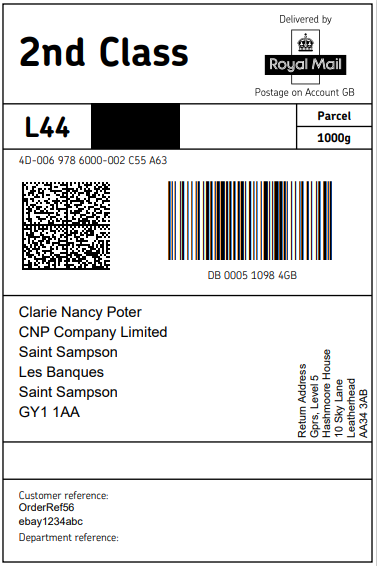
1D Barcode for Royal Mail Domestic Services to Guernsey
Royal Mail shipments from GB to Guernsey using the following unsigned services will now include a 1D barcode on the labels:
| Service Name | Service Codes |
|---|---|
| RM24 | CRL1, PK1, PK3, FS1, PPF1 |
| RM48 | CRL2, PK2, PK4, FS2, PPF2 |
| 1st Class | STL1 |
| 2nd Class | STL2 |
Royal Mail OBA registered billing address validation
The SAPIENT platform now allows Royal Mail customers to enter any Registered Billing Postcode, including international formats, when creating, editing, or linking their Royal Mail Shipping Account. This update removes previous UK-only postcode validation in both the UI and API, ensuring that postcodes match exactly as recorded in the Royal Mail Online Business Account (OBA).
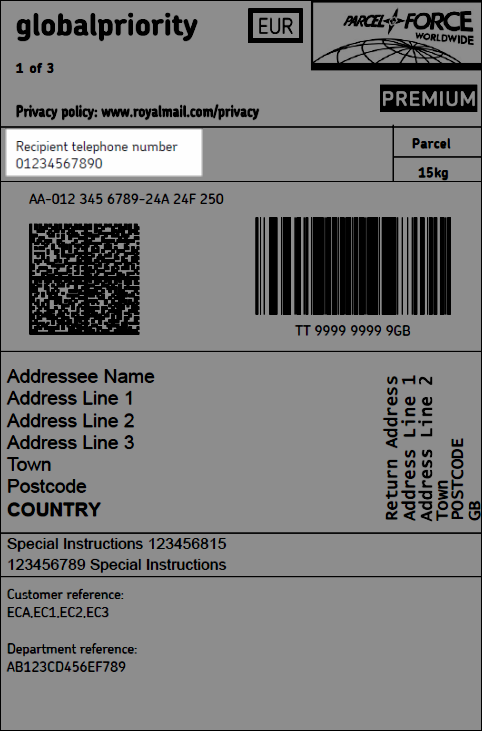
Royal Mail Parcelforce international label templates
The following Royal Mail Parcelforce international label templates have been updated to include the Recipient telephone number to conform with the overseas delivery partners and customs authorities:
-
ChinaEconomy
-
GlobalPriorityEurope
-
EuroPriority
-
GlobalPriorityRow
-
GlobalExpress
-
IrelandExpress
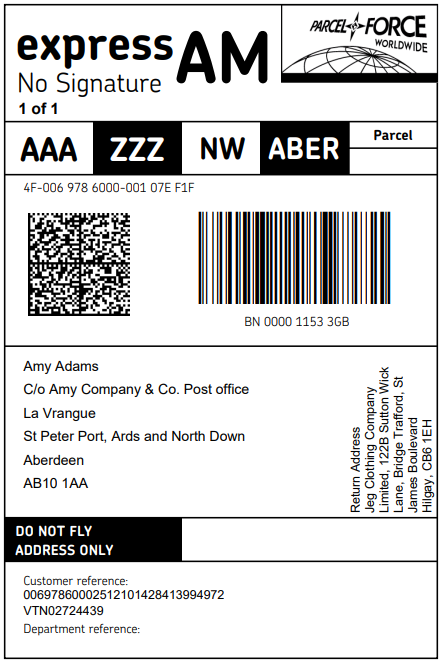
Royal Mail firearms label templates
The Royal Mail firearms ExpressAM and ExpressAMFWeekend label templates have been updated to align with Royal Mail’s latest standards. This helps prevent misrouting and ensure your deliveries remain secure and compliant.
SAPIENT cookie policy
A new cookie consent functionality has been added to the SAPIENT user interface to ensure compliance with the UK Cookie Policy and the General Data Protection Regulation (GDPR). With this addition, a cookie banner is displayed upon the user's initial login, allowing them to accept or reject functional cookies that enhance their experience.
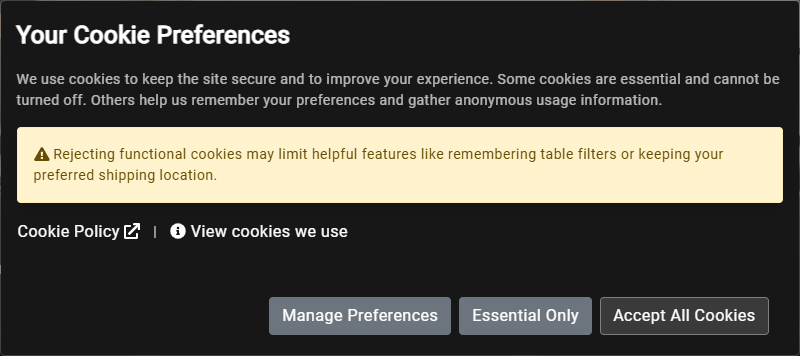
NoteUsers can manage their consent, with preferences retained for a duration of 13 months. The banner will reappear only if the preferences expire or if new cookies are introduced. Furthermore, all consent records will be preserved for a minimum of 13 months to ensure compliance, foster user trust, and enhance transparency and user control while adhering to legal obligations.
Website rate limiting enhancements
The system’s rate limiting has been updated to align customer (TPS) settings with our tier structure. This change ensures fair resource allocation, improved performance consistency, and better scalability across all tiers.
Technology upgrades
Our technology architecture has been upgraded to .NET 8. This upgrade enhances performance, security, and developer productivity across our applications and services.
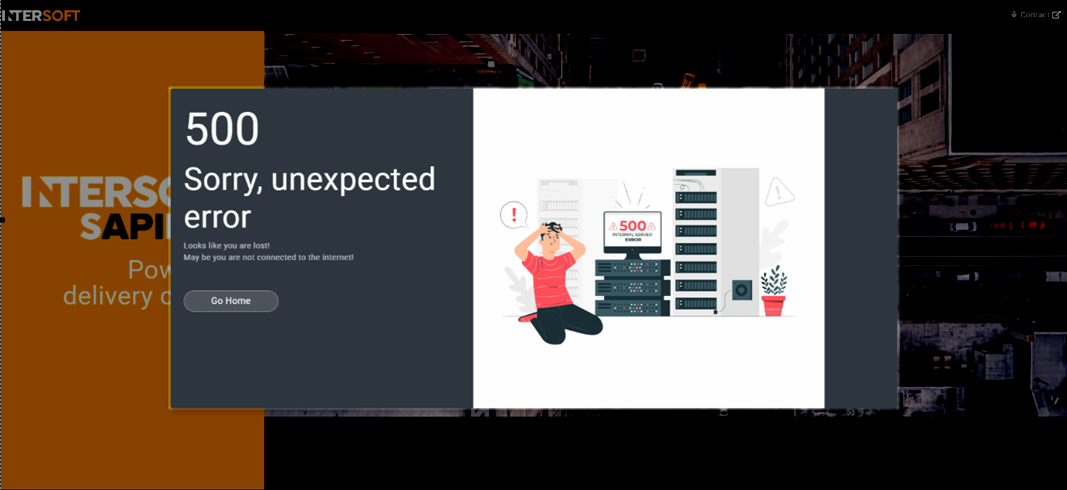
NoteFollowing the .NET upgrades, you may encounter the following error on your first login attempt:
To resolve this issue, simply log out of the system and sign in again.
Swagger documentation updates
The following updates have been made to our swagger documentation:
-
Royal Mail Print Label response example. The Royal Mail Datastream response example in the Print Label API endpoint has been updated to include new fields required for the new Royal Mail Parcelforce services.
-
Shipping Locations endpoint. The query and response field descriptions for our following CORE API endpoints have been updated to improve clarity and support correct usage of the API:
- Get Locations
- Add Location
- Get Location
- Update Location
- Delete Location
A fresh new look for our Developers Hub documentation
We are excited to announce the first phase of our Developers Hub documentation redesign, bringing you a cleaner, more interactive experience to make finding information easier and faster.
What's new?
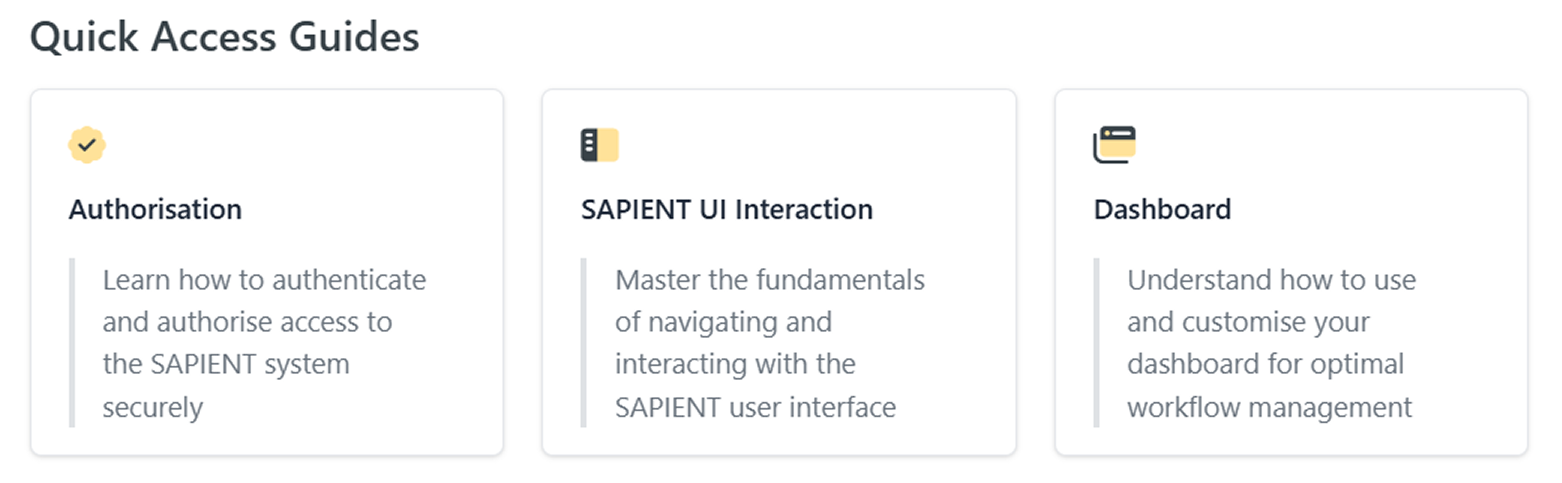
Our updated documentation now includes:
- Cards – For quick access to key information at a glance. Most cards include embedded cross-reference links, allowing you to jump directly to related topics without extra navigation.
- Tabs – Easily switch between related topics without leaving the page
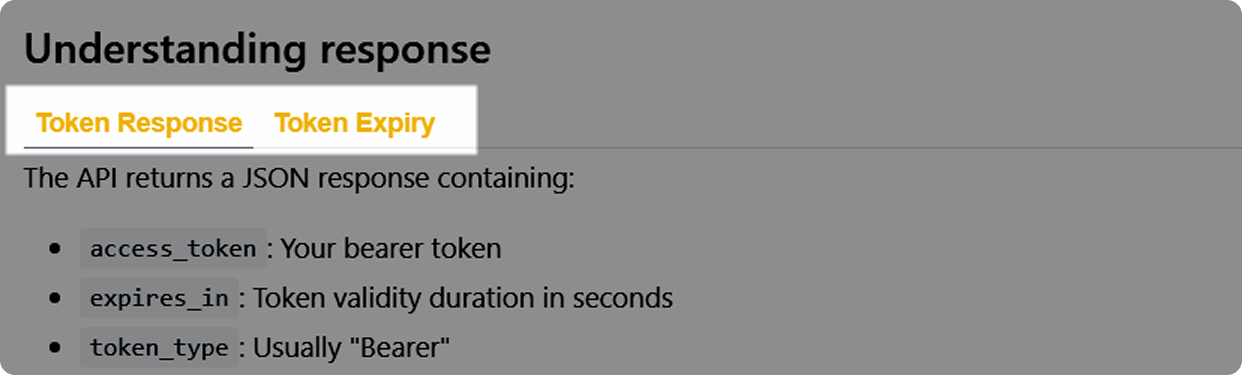
- Accordions – Expand and collapse sections for a clutter-free view
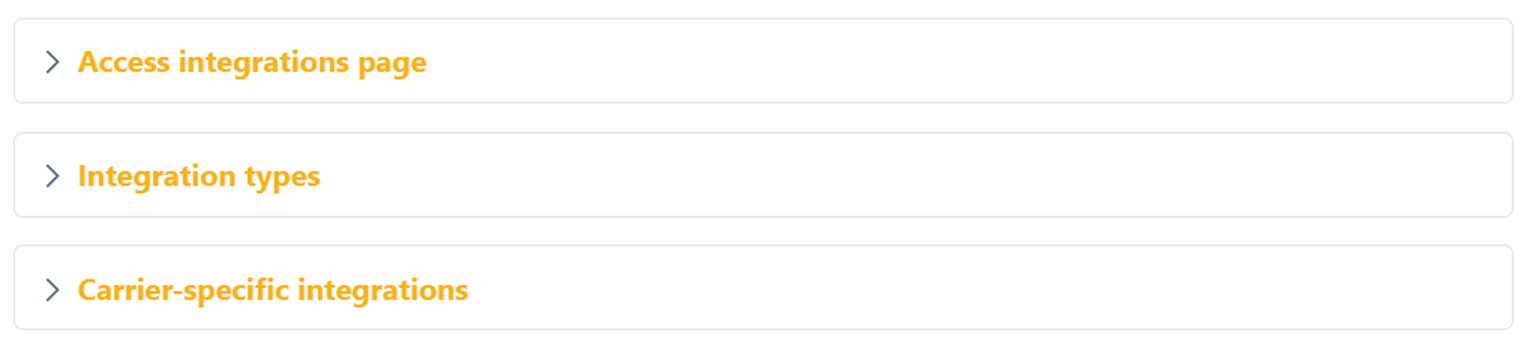
- Toggle List – Step-by-step instructions that you can reveal as needed
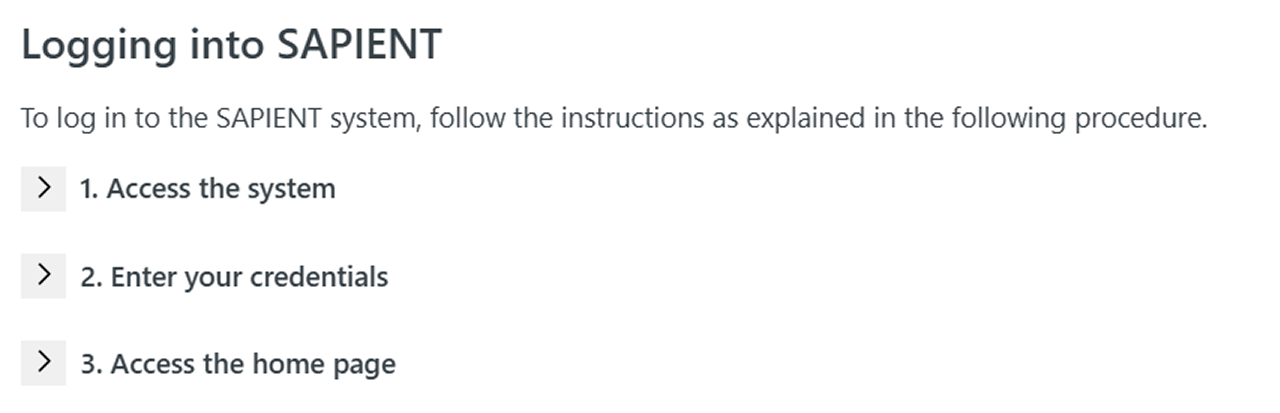
- Banners – Highlight important features
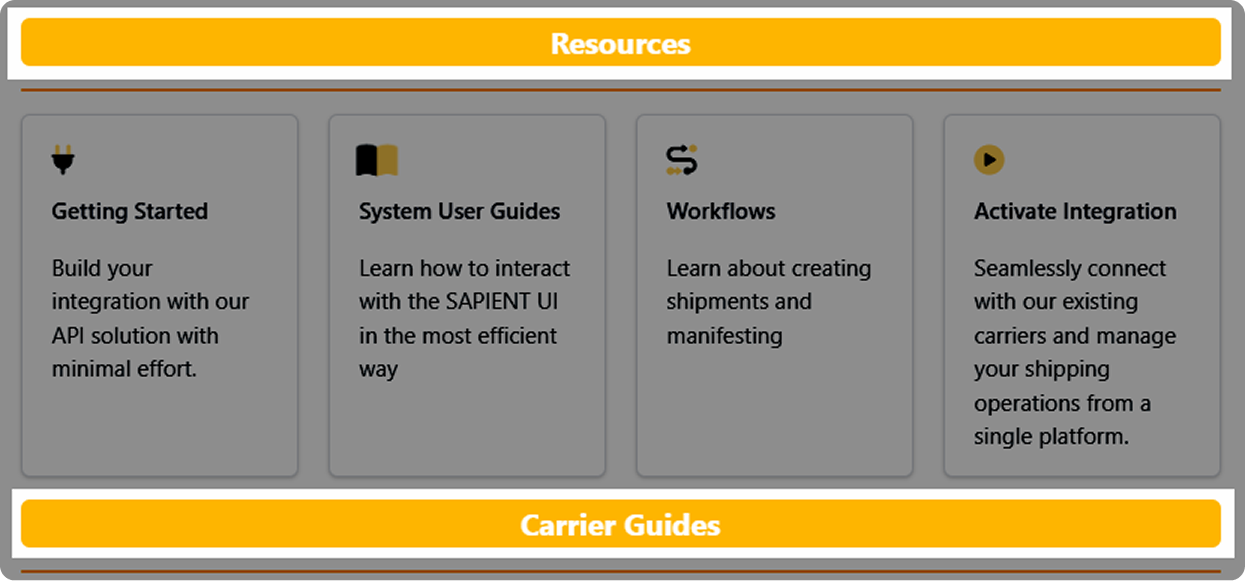
- Columns – Better content organisation for improved readability
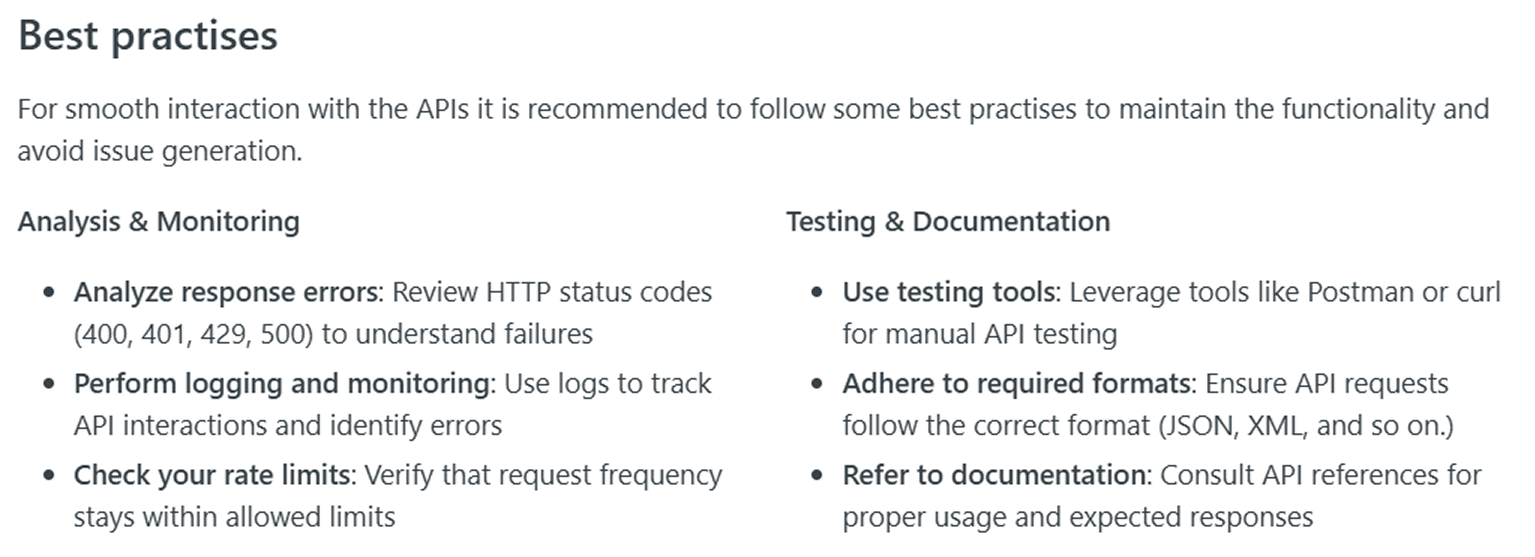
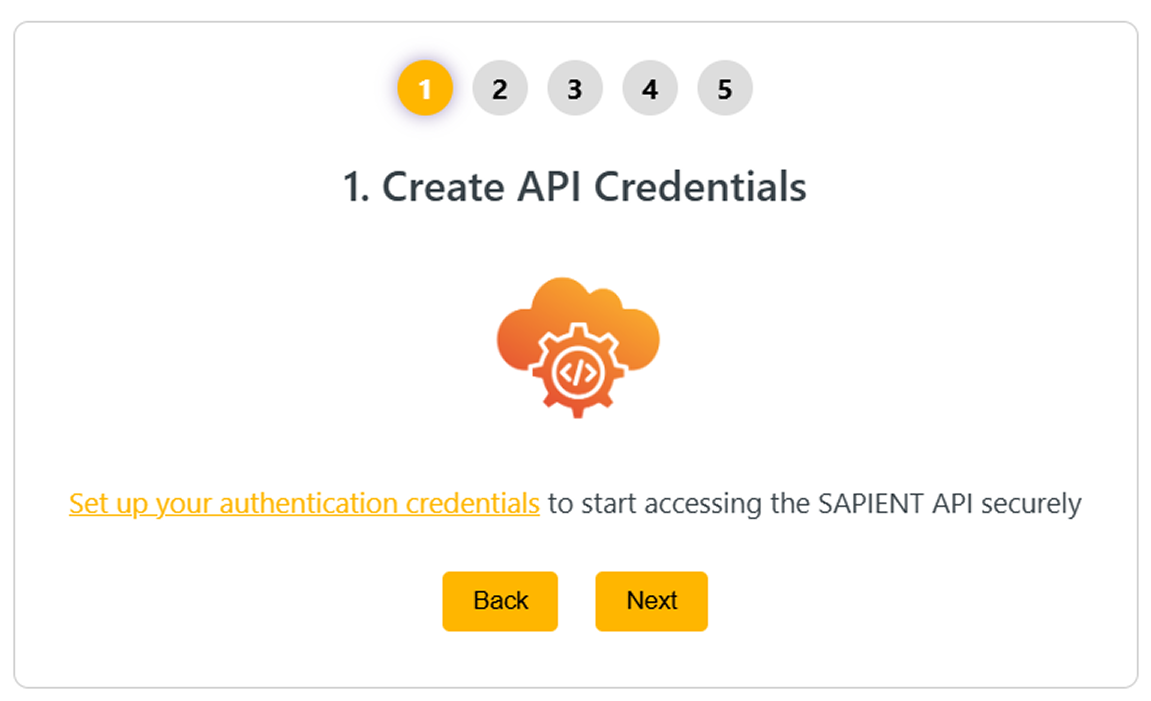
- Stepper – A guided, sequential navigation component that walks you through multi-step processes in a clear, structured way. Perfect for complex workflows or setup instructions.
- Theme – The theme of our Developers Hub has been switched to Dark Mode to comply with our SAPIENT system standards.
NoteThis is just the first phase of our redesign. The second phase is currently under development, which will introduce even more improvements, features, and upgrades to our documentation.
Updated 20 days ago